One Step, Any Size
O(1) means constant time: the operation takes the same number of steps whether the input has 5 elements or a million. The work does not grow at all.
This is the best complexity there is. Typical O(1) operations in TypeScript are: reading an array element by index, reading a Map value by key, .length, pushing one element to the end, and simple math.
Note what O(1) does not mean: it does not mean "fast", it means "does not get slower when the input grows". One constant step can still be a slow step — but it stays one step.
Array and Map Lookups
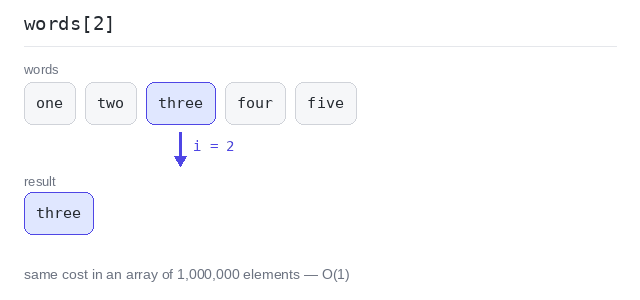
An array element lives at a known position in memory, so words[2] is one jump — the computer does not walk through the elements before it. The same read costs the same in an array of one million elements.
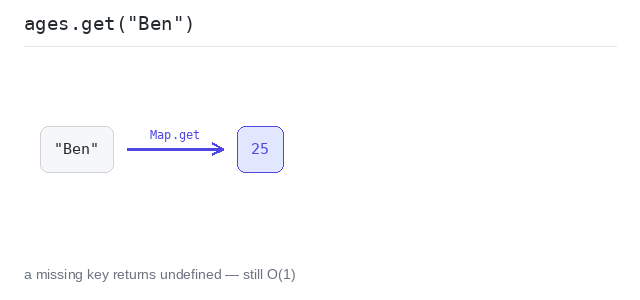
A Map lookup like ages.get("Ben") also takes constant time on average: the key tells the map directly where the value is stored. There is no second return value for "was it there" — get() has the type number | undefined and gives back undefined when the key is missing. ages.has("Ben") answers the same question as a boolean, and ?? 0 turns a missing value into a default. All three are constant time.
Read an element by index
The program reads one element from a 5-element array and one from an array with a million elements. Both reads are a single step — the array length plays no role.
Output: TypeScript file and captured output
const words = ["one", "two", "three", "four", "five"]

const big: number[] = new Array(1000000)
for (let i = 0; i < big.length; i++) {
  big[i] = i * 2
}

// One step each, no matter how long the array is.
console.log(words[2])
console.log(big[999999])
Read a value by key
ages.get("Ben") finds 25 directly. The missing key "Dan" gives undefined, and ages.has("Dan") is false — still in constant time. ages.get("Dan") ?? 0 prints 0 instead.
Output: TypeScript file and captured output
const ages = new Map<string, number>([
  ["Ana", 30],
  ["Ben", 25],
  ["Cleo", 41],
])

const ben: number | undefined = ages.get("Ben")
console.log(ben, ages.has("Ben"))

const dan: number | undefined = ages.get("Dan")
console.log(dan, ages.has("Dan"))

console.log("default for a missing key:", ages.get("Dan") ?? 0)
Appending and Simple Math
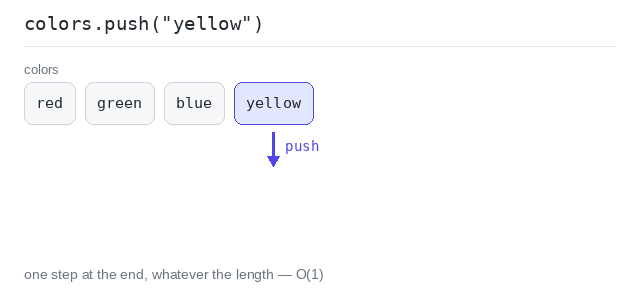
push() adds one element at the end of an array. Most of the time that is one step. (Once in a while the array must grow and gets copied, but averaged out the cost per push stays constant.)
All the small operations — assignments, additions, comparisons, swapping two values — are O(1) too. They are the "steps" that all the other complexity classes are counted in.
Append one element
colors.push("yellow") puts "yellow" at the end. The cost does not depend on how many colors are already in the array.
Output: TypeScript file and captured output
const colors = ["red", "green", "blue"]
console.log("before:", colors, "length:", colors.length)

colors.push("yellow")
console.log("after: ", colors, "length:", colors.length)
Swap two values
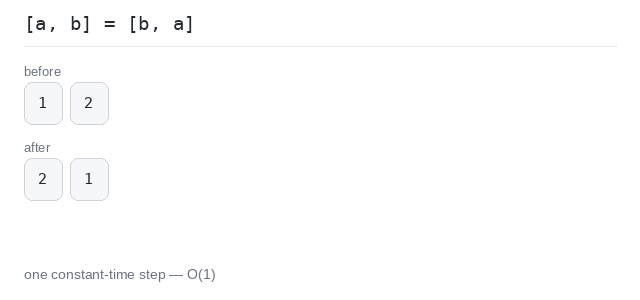
[a, b] = [b, a] swaps the two values in one constant-time step — no helper variable needed. The line starts with a semicolon so that it is read as its own statement, not as an index on the line above.
Output: TypeScript file and captured output
let a = 1
let b = 2
console.log("before:", a, b)

// The leading semicolon keeps this line separate from the one above.
;[a, b] = [b, a]
console.log("after: ", a, b)