Ordering a Collection
Sorting means putting the elements of a collection in a certain order.
Some types have a natural order. Numbers are ordered by value: 1 comes before 2. Strings are ordered alphabetically: "four" comes before "one". For everything else, or when you want a different order, you give a custom order: a compare function that looks at two elements and says which one comes first.
PHP's sort functions all work in place. They take the array by reference, change it, and return true — not the sorted array. $sorted = sort($words) is a classic mistake: $sorted becomes true.
sort($s)sorts in natural order, smallest first.rsort($s)sorts in natural order, biggest first.usort($s, $compare)sorts with your own compare function.
All three renumber the keys to 0, 1, 2 and so on.
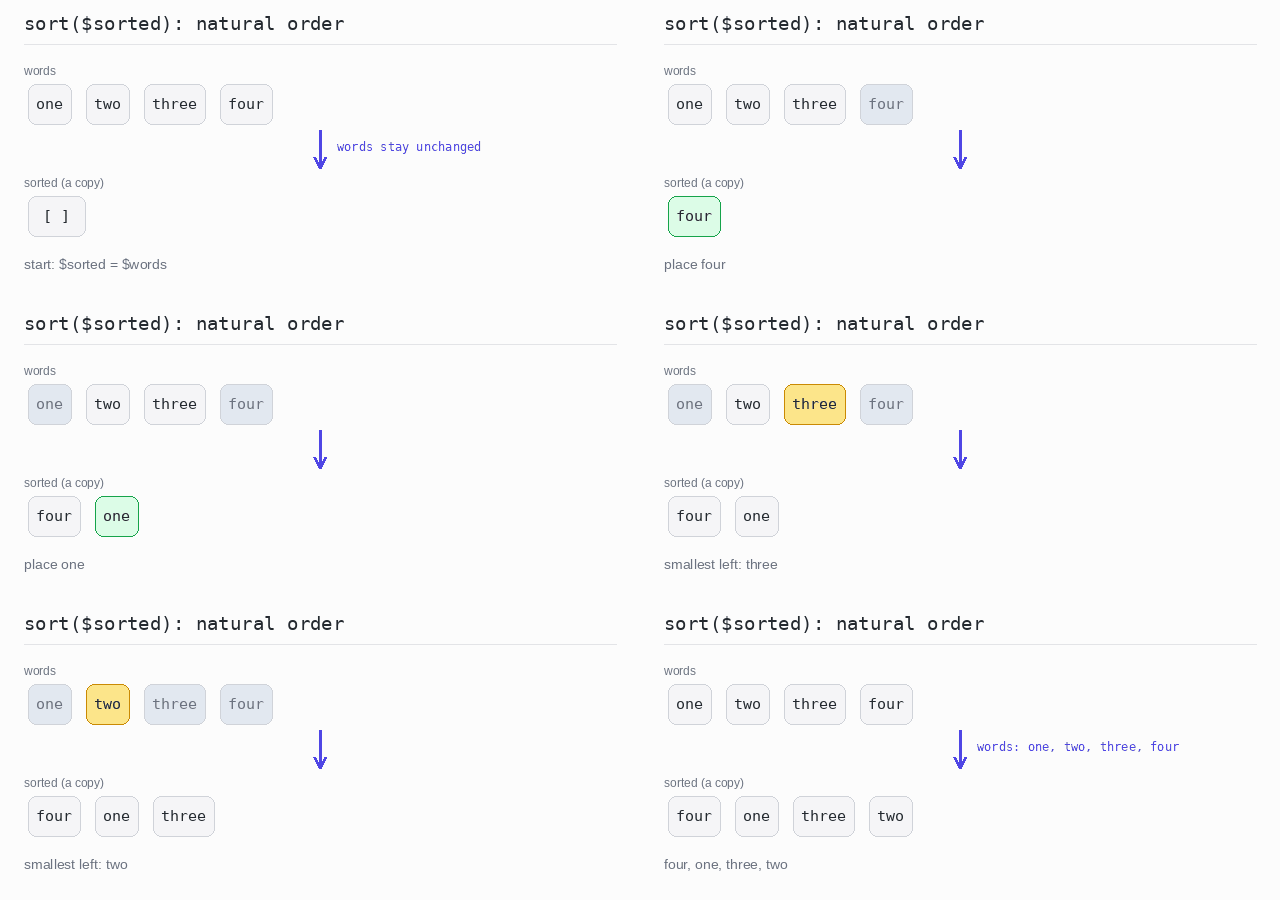
To keep the original order, sort a copy. That is easy in PHP, because arrays are values: $sorted = $words; gives $sorted its own copy, and sorting it leaves $words untouched.
A compare function gets two elements, $a and $b, and returns a number: negative when $a comes first, positive when $b comes first, and 0 when they are equal. The spaceship operator <=> gives exactly that number: $a <=> $b is -1, 0 or 1.
The examples below use the words one, two, three, four.
Natural Order
Natural order is the order a type has on its own: numbers by value, strings letter by letter.
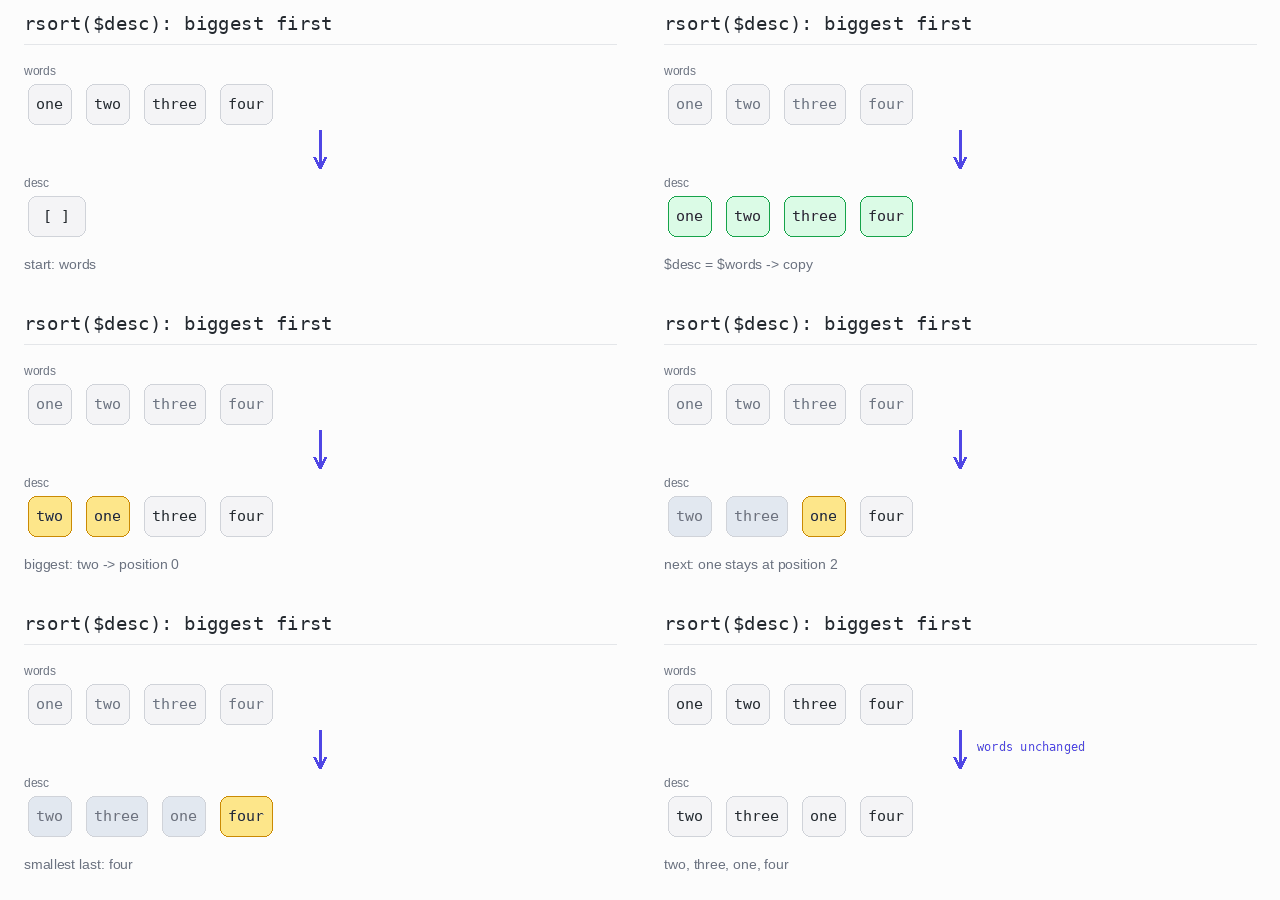
sort() puts an array in natural order. For descending order there is rsort(): the same sort, biggest element first. Both change the array you pass in, so copy it first when you still need the original.
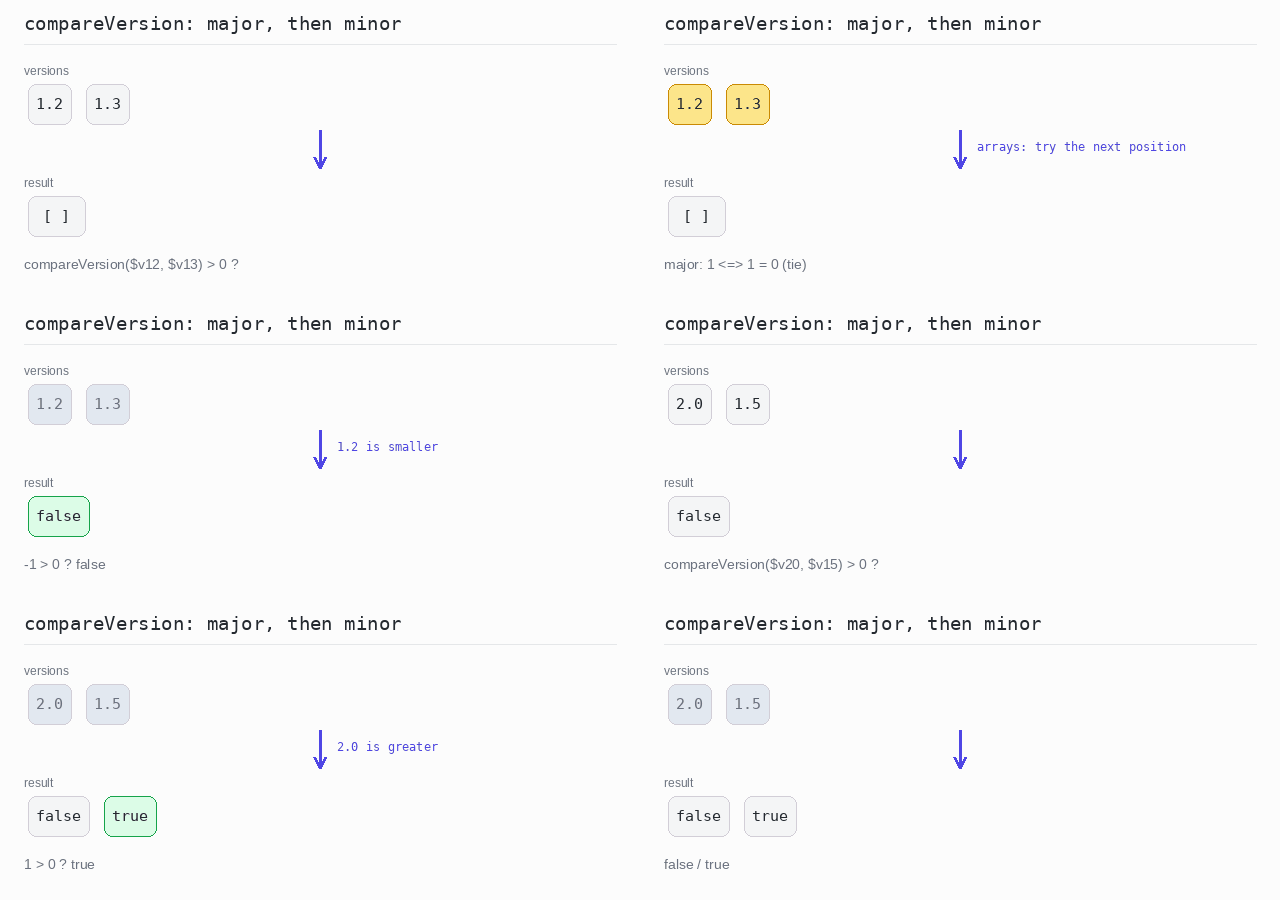
Your own data, such as a version number with a major and a minor part, has no natural order of its own. You give it one by writing a compare function that returns a negative number, zero or a positive number. The spaceship operator also compares whole arrays, position by position, and the first difference decides — so [$major, $minor] <=> [$otherMajor, $otherMinor] compares the major numbers first, and the minor numbers only when the majors are equal.
Sorted copy
$sorted = $words; copies the array, and sort() puts the copy in alphabetical order. The original $words array is printed afterwards to show it did not change.
Output: PHP script
<?php

$words = ["one", "two", "three", "four"];

// Arrays are copied on assignment, so $sorted is a separate array.
// sort() changes $sorted in place; $words stays as it was.
$sorted = $words;
sort($sorted);

echo implode(", ", $sorted), "\n";
echo implode(", ", $words), "\n";
Sorted descending
rsort() sorts the copy biggest first, so the words go from "two" down to "four".
Output: PHP script
<?php

$words = ["one", "two", "three", "four"];

// rsort() sorts the copy in place, biggest first.
$desc = $words;
rsort($desc);

echo implode(", ", $desc), "\n";
A type with its own order
A version is an array with a major and a minor number. compareVersion() compares [major, minor] pairs with <=>: the major numbers first; only when they are equal do the minor numbers decide. Checking compareVersion(...) > 0 answers "is the first version greater?". json_encode() prints the booleans as false and true.
Output: PHP script
<?php

declare(strict_types=1);

// compareVersion returns a negative number, zero or a positive number,
// like the compare functions used by usort().
// The arrays compare position by position: major first, then minor.
function compareVersion(array $v, array $other): int {
  return [$v["major"], $v["minor"]] <=> [$other["major"], $other["minor"]];
}

$v12 = ["major" => 1, "minor" => 2];
$v13 = ["major" => 1, "minor" => 3];
$v20 = ["major" => 2, "minor" => 0];
$v15 = ["major" => 1, "minor" => 5];

// Is 1.2 greater than 1.3?
echo json_encode(compareVersion($v12, $v13) > 0), "\n";

// Is 2.0 greater than 1.5?
echo json_encode(compareVersion($v20, $v15) > 0), "\n";
Custom Orders
A custom order is any order you describe with a compare function.
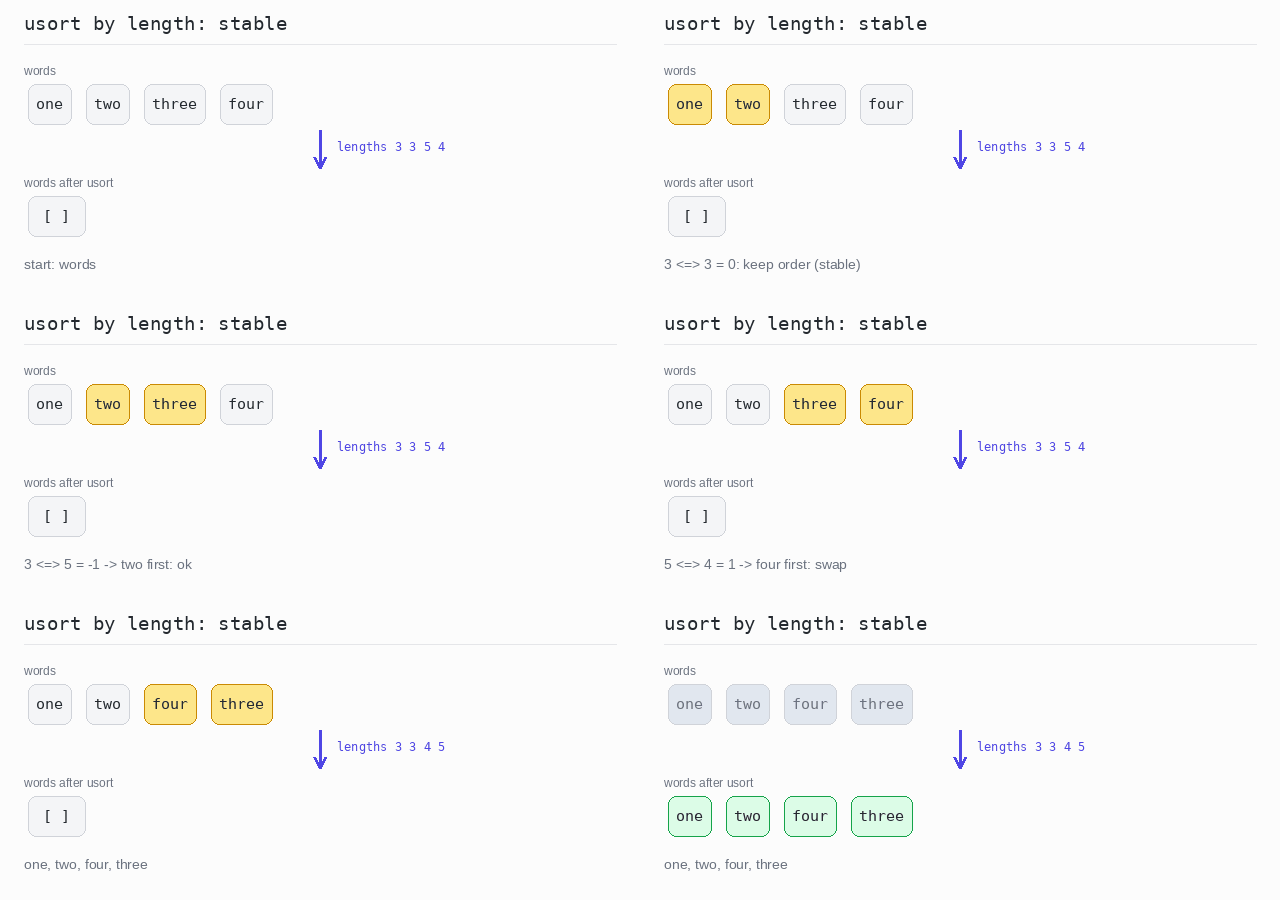
usort() sorts an array in place with that function. Since PHP 8.0 every PHP sort is stable: elements that compare as equal keep their original order. That matters, for example, when sorting words by length.
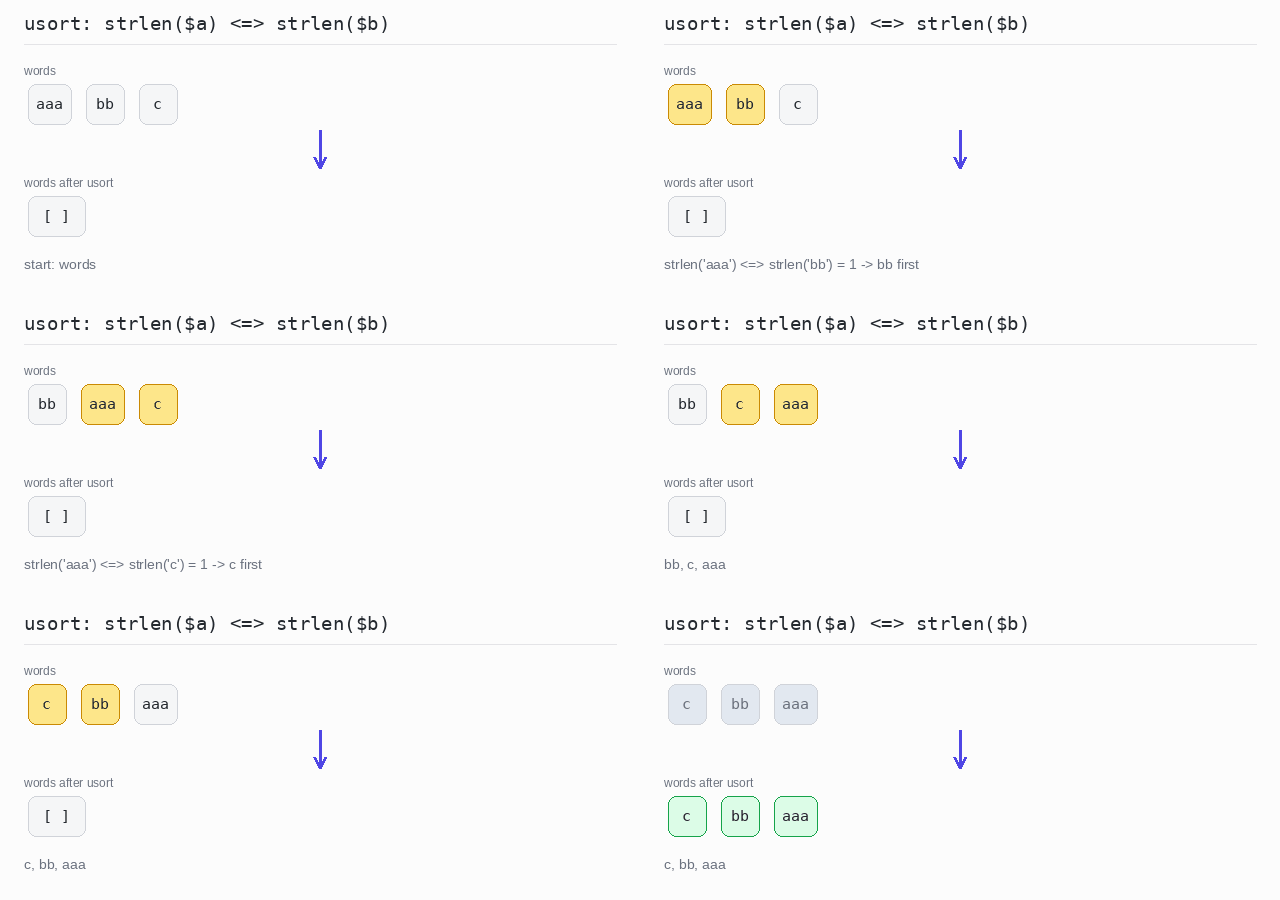
The everyday case is sorting by one property of each element. Put that property on both sides of the spaceship operator: strlen($a) <=> strlen($b) sorts by length.
For descending order, swap the two sides: $b <=> $a instead of $a <=> $b.
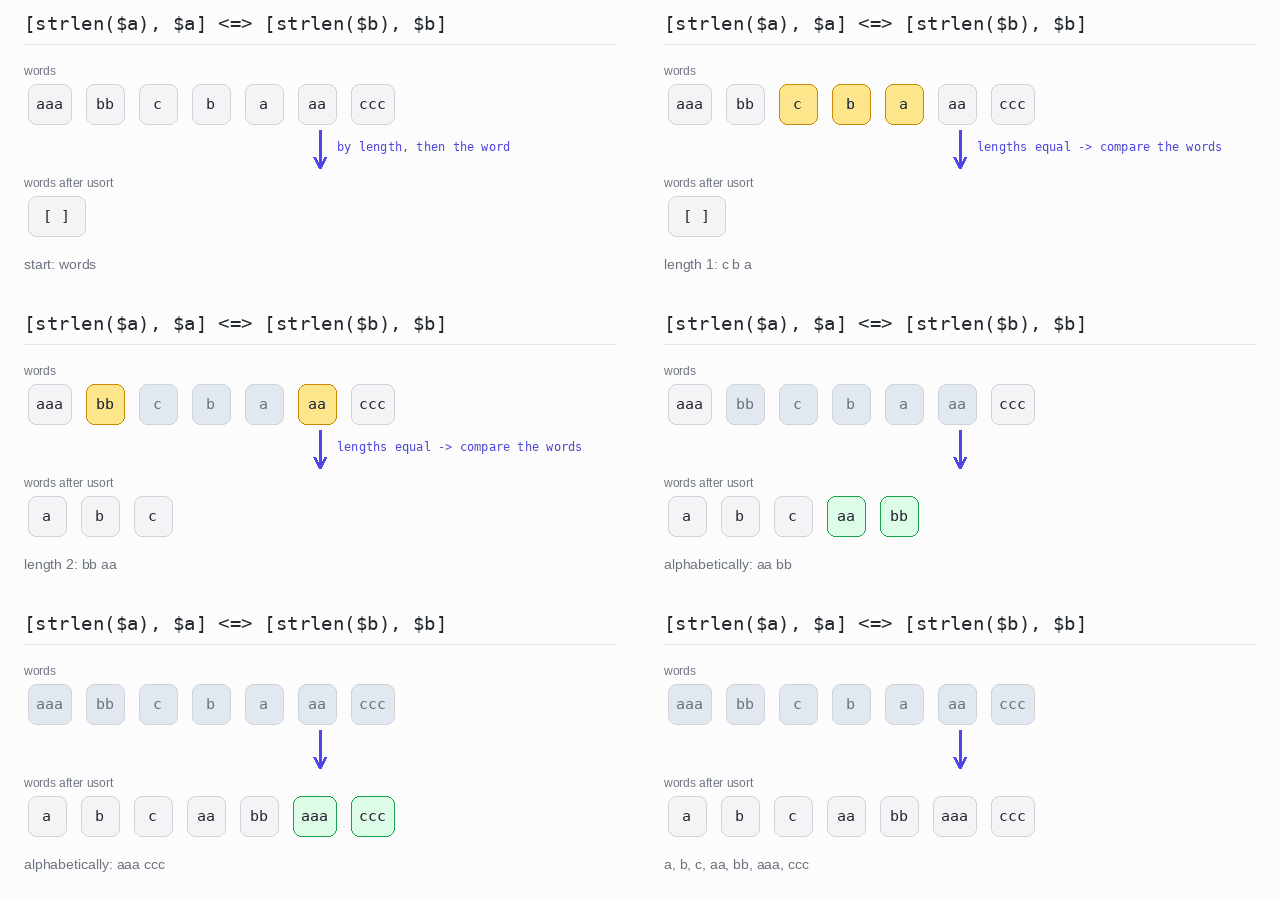
To sort by one thing and then by another, compare two arrays: [strlen($a), $a] <=> [strlen($b), $b]. The lengths are compared first; if they are equal, the words themselves break the tie.
Sort with a compare function
The compare function returns strlen($a) <=> strlen($b). A negative result means $a is shorter and comes first, so the words end up from shortest to longest.
Output: PHP script
<?php

$words = ["aaa", "bb", "c"];

// Shorter strings come first.
usort($words, fn($a, $b) => strlen($a) <=> strlen($b));

echo implode(", ", $words), "\n";
Sort by length
The words are compared by length. "one" and "two" are both 3 letters long; the stable sort keeps "one" before "two".
Output: PHP script
<?php

$words = ["one", "two", "three", "four"];

// The sort is stable: words of equal length keep their original order.
usort($words, fn($a, $b) => strlen($a) <=> strlen($b));

echo implode(", ", $words), "\n";
Sort by last letter, descending
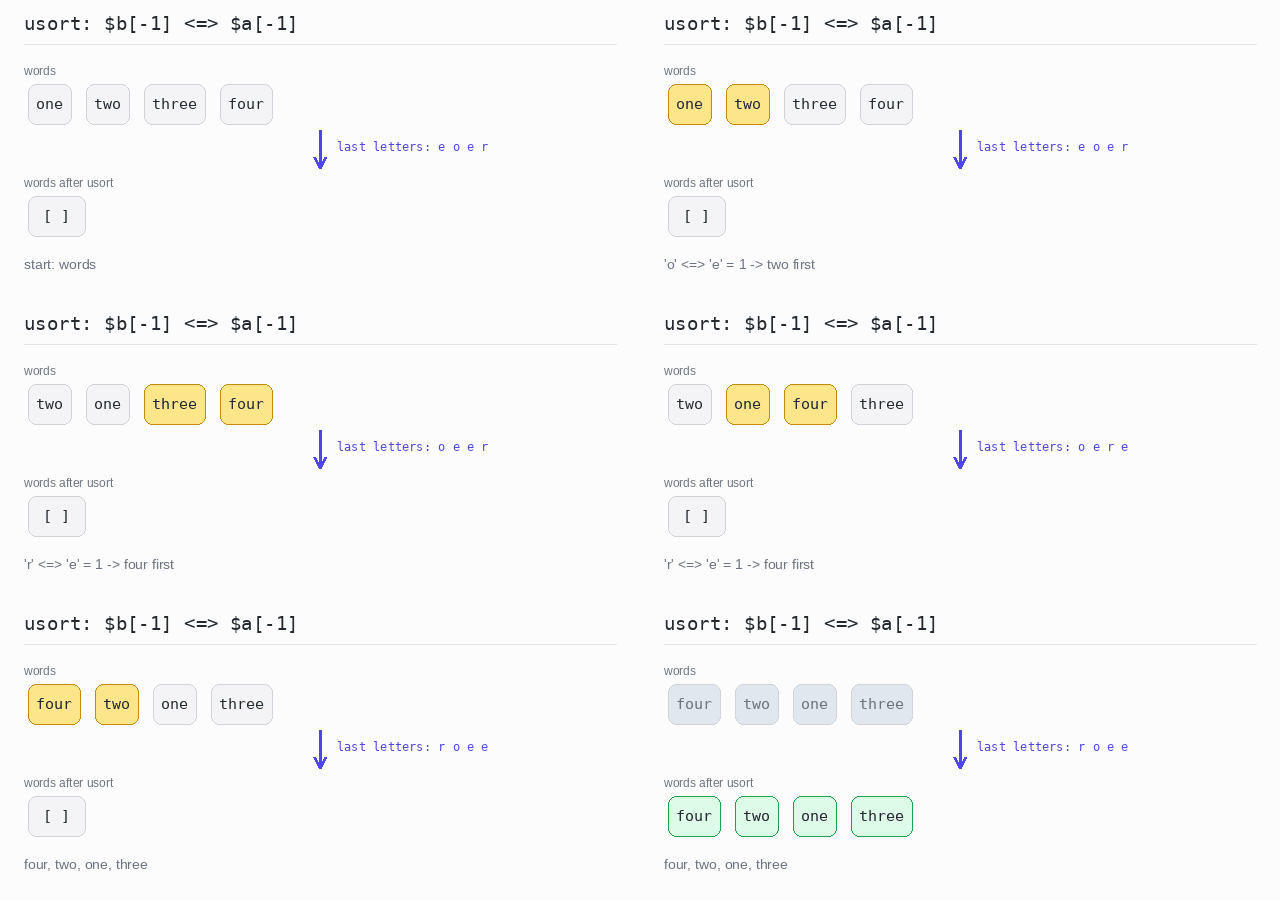
$a[-1] is the last letter of a word: a negative string offset counts from the end. The letters of $b and $a are compared in swapped order, so the word with the largest last letter comes first: "four" (r), then "two" (o), then the two words ending in "e" in their original order.
Output: PHP script
<?php

$words = ["one", "two", "three", "four"];

// Compare the last letters, with $b and $a swapped for descending order.
usort($words, fn($a, $b) => $b[-1] <=> $a[-1]);

echo implode(", ", $words), "\n";
Sort by length, then alphabetically
The spaceship operator compares the arrays [strlen($a), $a] and [strlen($b), $b] position by position. The lengths decide first. When two words are equally long, the words themselves are compared, which orders them alphabetically.
Output: PHP script
<?php

$words = ["aaa", "bb", "c", "b", "a", "aa", "ccc"];

// The arrays compare position by position: length first, then the word itself.
usort($words, fn($a, $b) => [strlen($a), $a] <=> [strlen($b), $b]);

echo implode(", ", $words), "\n";
Check Sorted Order
Sometimes you only want to know whether an array is already sorted, without sorting it.
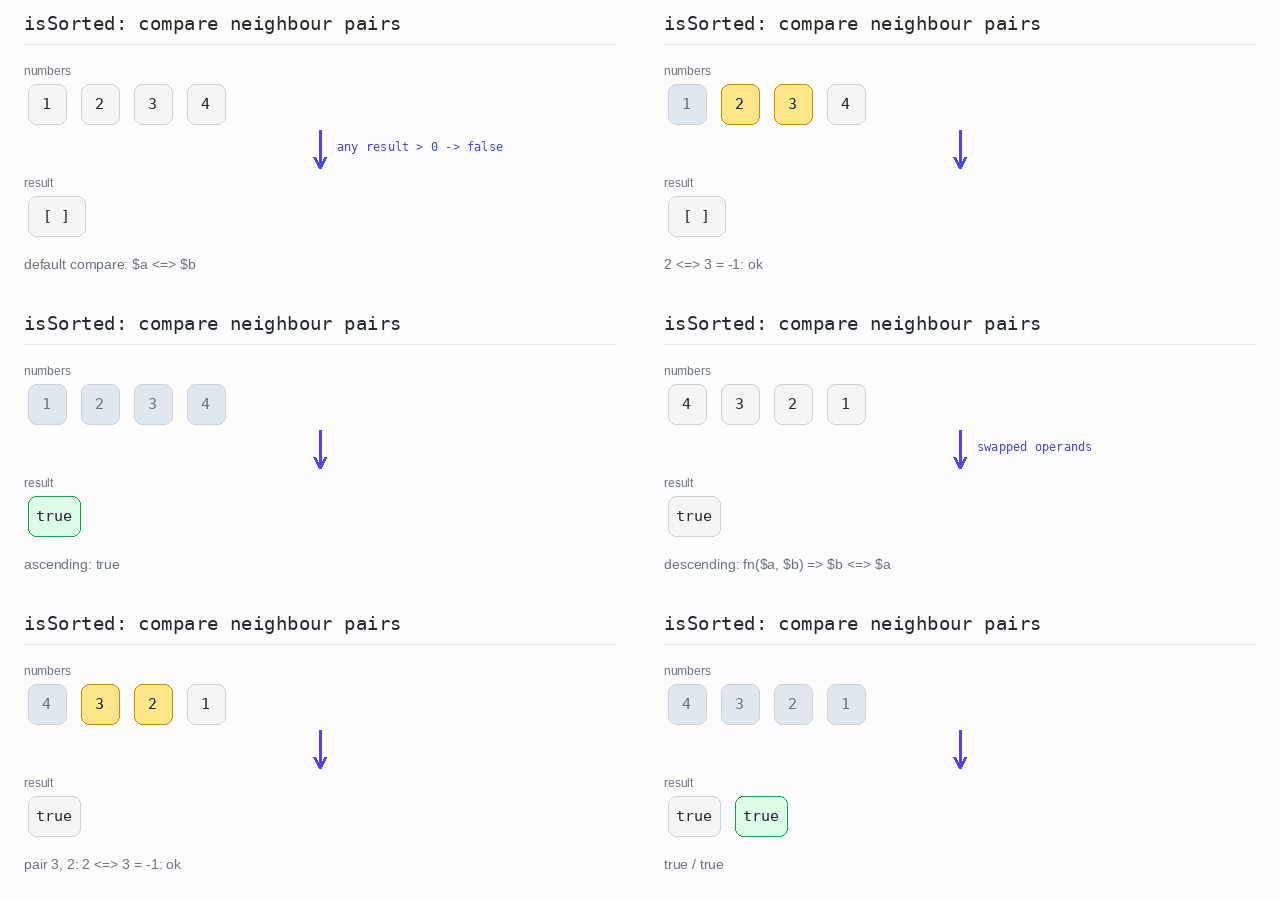
PHP has no built-in function for this, but a small helper is enough: walk the array, compare every element with its right neighbour, and return false as soon as a pair is in the wrong order. Give the helper an optional compare function and the same loop checks any order. For descending order pass fn($a, $b) => $b <=> $a — the swapped comparison.
To check the order of one property, such as a user's age, compare that property inside the function.
Ascending and descending check
isSorted() confirms that 1, 2, 3, 4 are ascending. With the compare function $b <=> $a it confirms that 4, 3, 2, 1 are descending.
Output: PHP script
<?php

// isSorted checks every element against its right neighbour.
function isSorted(array $items, ?callable $compare = null): bool {
  $compare ??= fn($a, $b) => $a <=> $b;
  for ($i = 0; $i + 1 < count($items); $i++) {
    if ($compare($items[$i], $items[$i + 1]) > 0) {
      return false;
    }
  }
  return true;
}

$ascending = [1, 2, 3, 4];
$descending = [4, 3, 2, 1];

echo json_encode(isSorted($ascending)), "\n";

// Swapped operands check for descending order.
echo json_encode(isSorted($descending, fn($a, $b) => $b <=> $a)), "\n";
Check order by a field
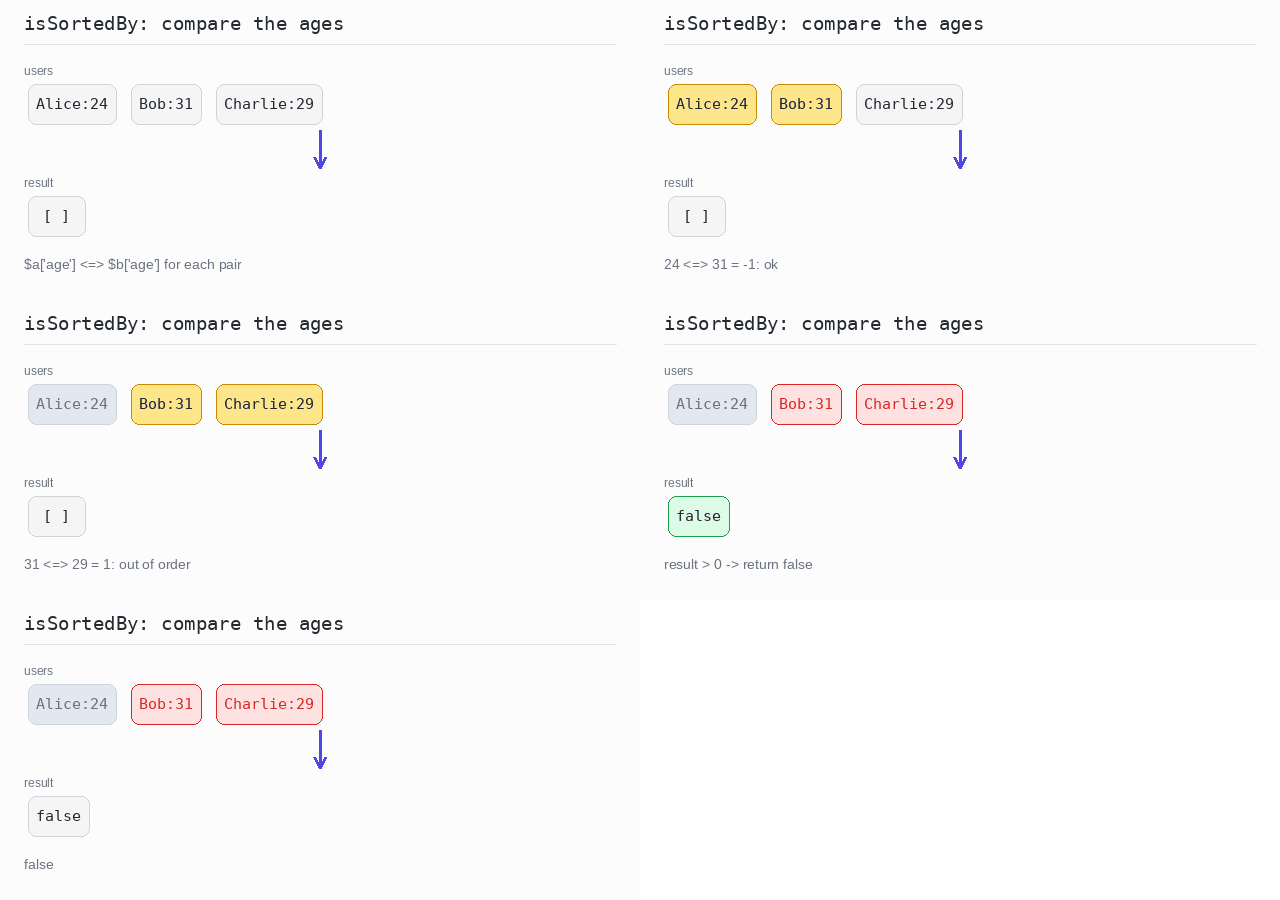
The users are Alice (24), Bob (31) and Charlie (29). The compare function looks only at 'age'. Bob is older than Charlie, so the array is not sorted by age and the program prints false.
Output: PHP script
<?php

// isSortedBy checks every pair of neighbours with the compare function.
function isSortedBy(array $items, callable $compare): bool {
  for ($i = 0; $i + 1 < count($items); $i++) {
    if ($compare($items[$i], $items[$i + 1]) > 0) {
      return false;
    }
  }
  return true;
}

$users = [
  ["name" => "Alice", "age" => 24],
  ["name" => "Bob", "age" => 31],
  ["name" => "Charlie", "age" => 29],
];

// Are the users in order of age?
echo json_encode(isSortedBy($users, fn($a, $b) => $a["age"] <=> $b["age"])), "\n";
Reverse Order
Reversing puts the last element first and the first element last.
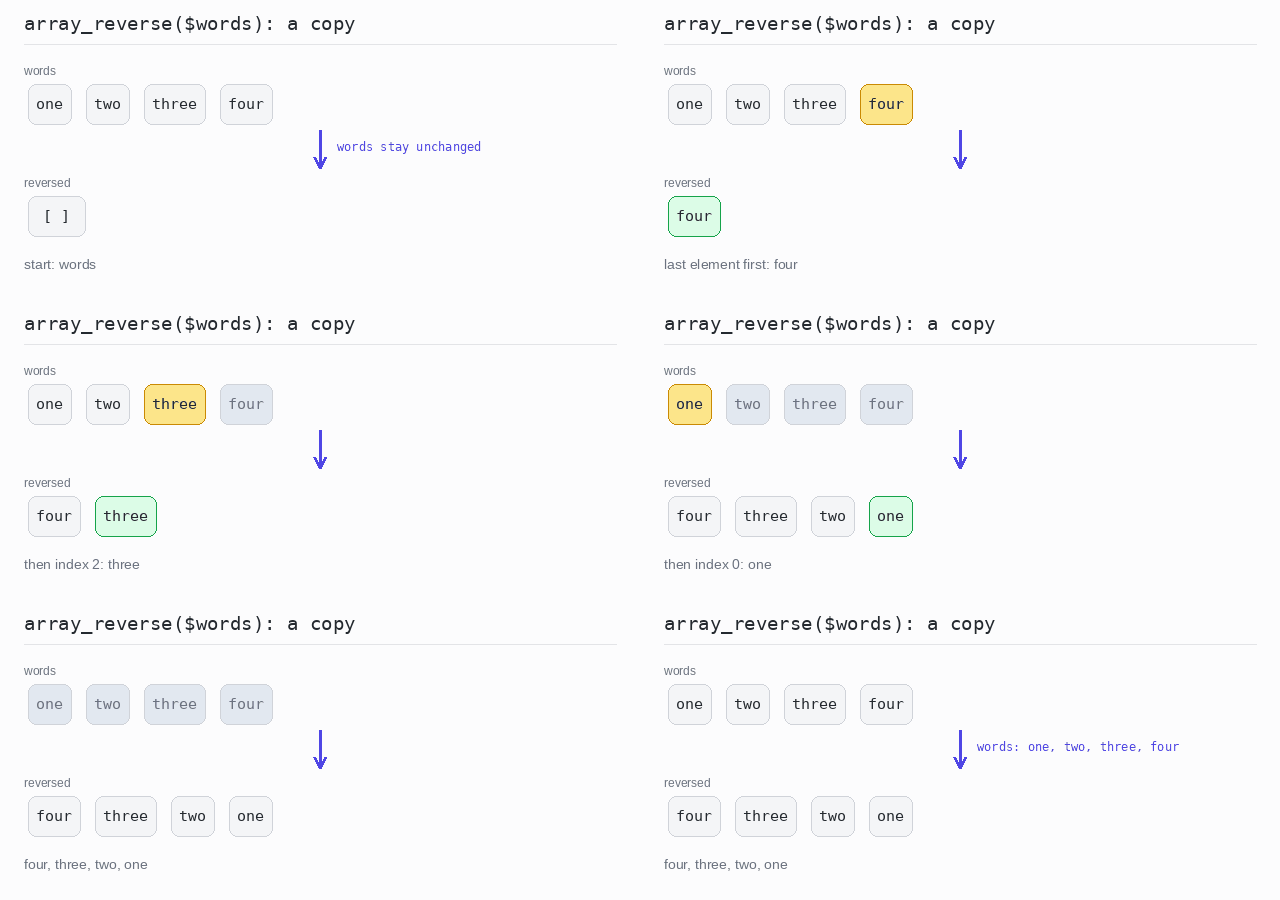
Unlike the sort functions, array_reverse() does not change the array you give it: it returns a reversed copy, and the original keeps its order.
Reversed copy
The copy made by array_reverse() is printed, then the original is printed to show it is unchanged.
Output: PHP script
<?php

$words = ["one", "two", "three", "four"];

// array_reverse() returns a reversed copy; the original keeps its order.
$reversed = array_reverse($words);

echo implode(", ", $reversed), "\n";
echo implode(", ", $words), "\n";
Random Order
Shuffling puts the elements in a random order.
PHP's shuffle() works like the sort functions: in place, on the array you pass in. Shuffle a copy if you still need the original.
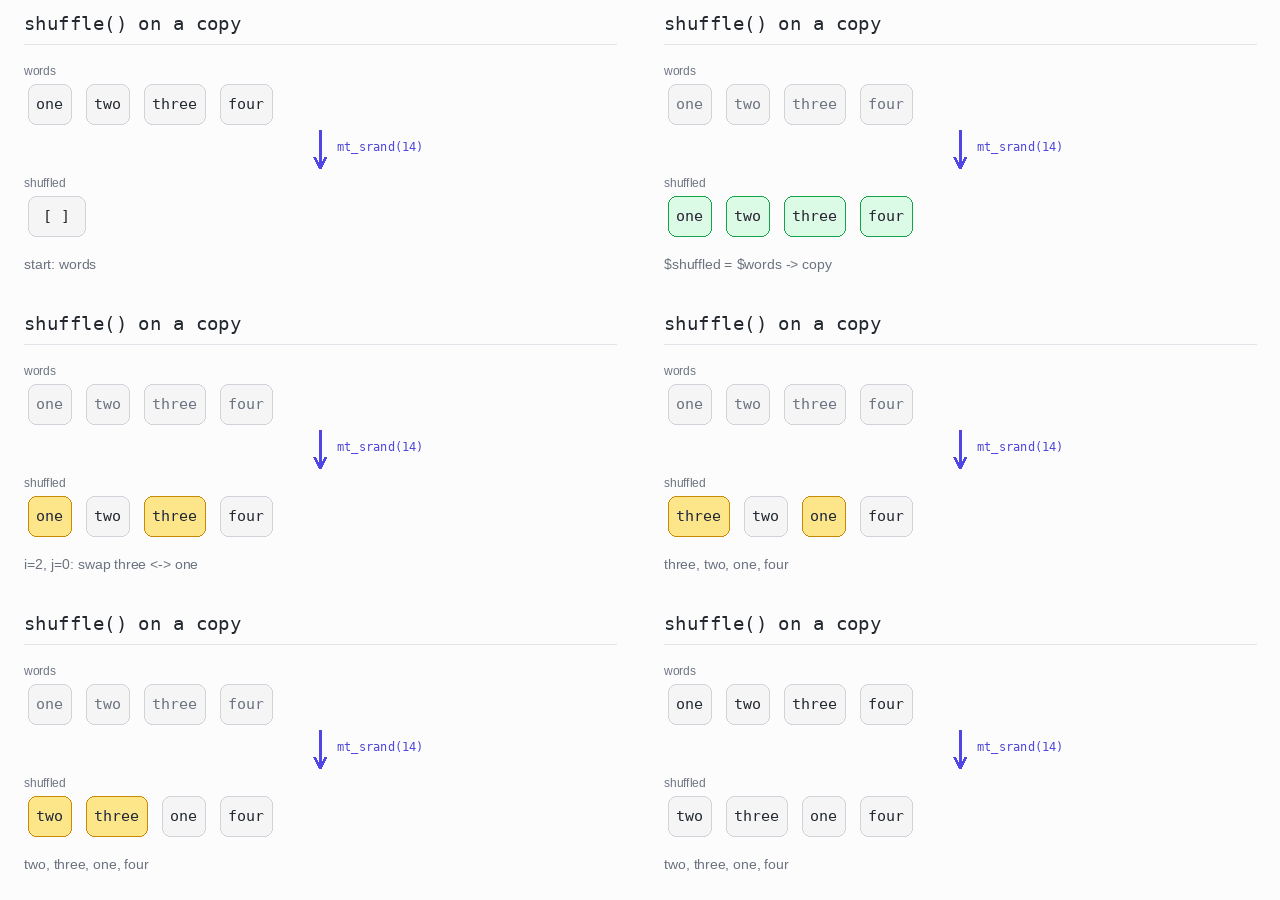
shuffle() takes its random numbers from the same generator as mt_rand(). Seed that generator with mt_srand(seed) and you get the same "random" order every time the program runs with that seed. This is useful for tests and for examples like this one. Without a fixed seed the order changes on every run.
Shuffled copy
mt_srand(14) fixes the seed, then shuffle() mixes a copy of the words. It walks from the last position to the first and swaps each element with a randomly chosen one at or before it. With this seed the result is two, three, one, four on every run.
Output: PHP script
<?php

$words = ["one", "two", "three", "four"];

// A fixed seed gives the same "random" order on every run.
mt_srand(14);

// shuffle() works in place, so shuffle a copy.
$shuffled = $words;
shuffle($shuffled);

echo implode(", ", $shuffled), "\n";